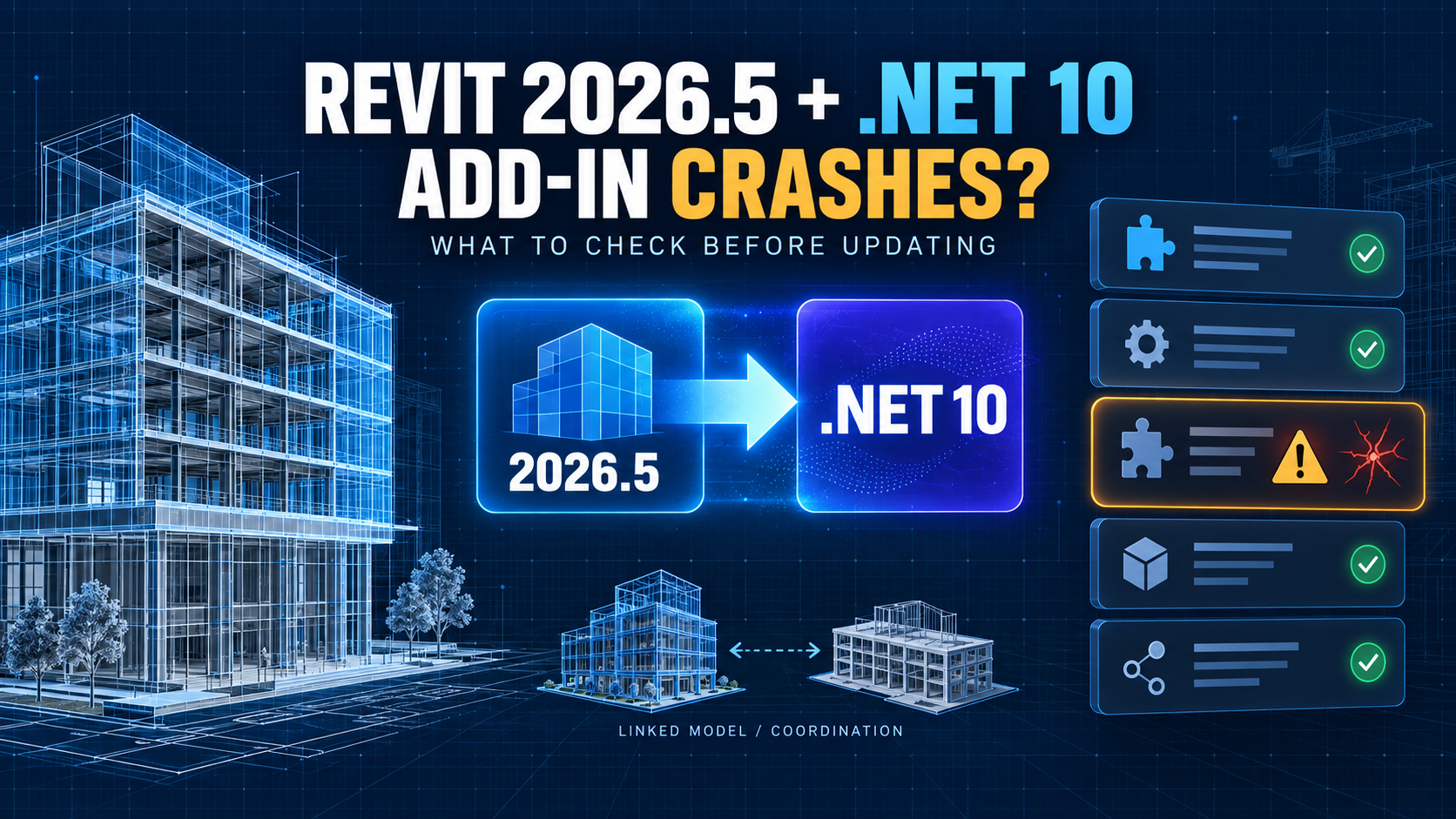
Revit 2026.5 is not just another maintenance update.
Released on August 6, 2026, the update moves Revit 2026 onto Microsoft .NET 10 and includes the .NET 10 Windows Desktop and ASP.NET Core runtimes. For most users, Revit itself should continue to work normally after the update.
The risk appears when a production environment depends on third-party add-ins, shared Autodesk components, Navisworks interoperability, or custom Revit API tools that were validated against the earlier .NET runtime.
Autodesk has now published a dedicated support article for a very specific symptom: Revit 2026.5 can crash during startup while loading an incompatible third-party add-in.
That makes this update more important than a typical “install the latest patch” decision.
For BIM teams, the practical question is not simply whether Revit 2026.5 should be installed.
It is whether the full Revit workstation stack is ready for the .NET 10 transition.
Quick Answer
If Revit 2026.5 crashes during startup after an update, a third-party add-in that has not been updated for .NET 10 may be the cause.
Autodesk’s recommended troubleshooting process is to disable add-ins, launch Revit, then re-enable the add-ins one at a time until the incompatible component is identified.
Before deploying Revit 2026.5 across a BIM team, also check:
- critical Revit add-ins
- custom internal add-ins
- Navisworks/Revit interoperability components
- Autodesk Object Enablers
- automation or batch-processing tools
- other Autodesk products installed on the same workstation
The safest approach is to validate the workstation stack before a broad rollout rather than treating Revit as an isolated application.
What Changed in Revit 2026.5?
Autodesk released Revit 2026.5 on August 6, 2026.
The official release notes show that the update includes Microsoft ASP.NET Core Runtime 10 and .NET Windows Desktop Runtime 10.
That is important because earlier Revit 2026 builds were based on .NET 8.
Autodesk’s current migration guidance says Revit 2026.5 and later use .NET 10. Revit 2027 already supports .NET 10, so the 2026.5 update effectively brings the supported Revit 2026 line into the same newer runtime generation.
The reason is lifecycle support.
Microsoft’s current .NET support policy lists .NET 8 and .NET 9 as reaching end of support in November 2026, while .NET 10 remains supported into 2028.
For Autodesk, the migration is therefore partly about keeping supported product releases on a supported Microsoft runtime with ongoing security and maintenance coverage.
Why Can Add-Ins Break?
A Revit add-in does not run in isolation.
It loads inside the Revit process and may depend on:
- a specific .NET runtime
- third-party libraries
- native DLLs
- serialization behavior
- assembly-loading behavior
- other Autodesk components
- a specific Revit API build
Most existing .NET 8 add-ins are expected to work in a .NET 10 environment, according to Autodesk guidance.
But “most” is not the same as “all.”
A plug-in may still fail if one of its dependencies is not compatible with the newer runtime or if the code depends on behavior that changed between runtime versions.
The user-visible result can be severe.
Instead of one command failing after Revit opens, the application can crash during startup because Revit loads add-ins as part of its launch sequence.
That is exactly the failure Autodesk documented on September 8.
The Fastest Way to Identify a Problem Add-In
Autodesk’s troubleshooting procedure is straightforward.
Start by opening the Revit Add-Ins Manager and disabling the add-ins that load with Revit.
Then launch Revit again.
If Revit opens successfully, the core application is probably not the immediate cause of the startup crash.
Close Revit, enable one add-in, and launch again.
Repeat that process until the crash returns.
The last add-in enabled is then a strong candidate for the compatibility problem.
Once identified, check the vendor’s current release notes or support page for a .NET 10-compatible build.
Do not assume that reinstalling the same old add-in package will solve the issue.
The important question is whether the version itself has been validated for Revit 2026.5 and .NET 10.
Should You Update Every Add-In Before Installing Revit 2026.5?
Not necessarily.
Autodesk has indicated that many .NET 8 add-ins should continue to work under .NET 10.
So this is not a case where every add-in automatically becomes unusable the moment Revit 2026.5 is installed.
A better approach is risk-based validation.
Start with the tools that are essential to daily production.
For example:
- model checking add-ins
- content management tools
- exporters
- coordination add-ins
- fabrication or structural integrations
- internally developed Revit API tools
- license-managed enterprise plug-ins
If a critical add-in does not have a clear compatibility statement from its vendor, test it before upgrading the entire office.
For large BIM teams, that may mean maintaining a pilot workstation or test group before deploying the update broadly.
Navisworks Compatibility Matters Too
Revit 2026.5 changes more than the Revit executable.
Autodesk specifically warns about compatibility with Navisworks.
Revit 2026.5 includes Revit Core Engine 2026.5 through the Revit Interoperability 2026.5 update.
To keep Revit and Navisworks 2026 workflows aligned, Autodesk says Navisworks 2026.3 should be installed together with the appropriate Revit 2026.5 Interoperability update or later.
Autodesk also recommends updating Object Enablers to the latest available versions.
This matters because a workstation can appear to have a “Revit problem” when the real issue is a version mismatch across shared components.
For BIM coordinators who export or open Revit-based content in Navisworks, updating only Revit and leaving the coordination stack untouched is not the safest deployment pattern.
What About Revit Automation in the Cloud?
The .NET 10 transition also affects Autodesk Platform Services.
Autodesk scheduled the Revit Automation engine migration for Revit 2026 to Revit 2026.5 and .NET 10 for September 21, 2026.
In its migration notice, Autodesk said most existing AppBundles were expected to continue working and recommended a compatibility check before the scheduled production migration.
Recommended checks include:
- whether the AppBundle loads in Revit 2026.5
- whether required Revit API calls behave as expected
- whether third-party dependencies support .NET 10
- whether the complete automation workflow still finishes successfully
This is especially important for organizations using cloud automation for batch model processing, extraction, parameter updates, exports, or other unattended jobs.
A desktop plug-in and a cloud AppBundle may share code or dependencies, so a runtime migration can affect both environments even if the deployment mechanism is different.
Should BIM Teams Delay the Update?
There is no universal answer.
Revit 2026.5 is Autodesk’s current Revit 2026 update, and the move to .NET 10 is part of the supported platform direction.
Staying permanently on older builds is not a good long-term strategy simply to avoid testing add-ins.
But production teams also should not assume that every workstation is safe to update immediately without validation.
A sensible deployment process is:
- Identify mission-critical Revit add-ins and integrations.
- Check vendor support for Revit 2026.5 and .NET 10.
- Update a pilot workstation.
- Open representative production models.
- Test add-ins and export/coordination workflows.
- Test Navisworks interoperability where applicable.
- Test custom Revit API tools.
- Record any failed plug-ins before wider deployment.
- Roll out the update in stages.
That process takes more effort than clicking “Update All,” but it can prevent an office-wide startup failure caused by one outdated plug-in.
What If Revit Already Crashes After the Update?
If the update is already installed and Revit crashes before you can work, avoid immediately assuming that the RVT project file is corrupt.
First ask whether the problem happens before a model is opened.
If Revit crashes during application startup, add-in loading is one of the first things to investigate.
Use the Add-Ins Manager to disable plug-ins and test a clean launch.
If Revit opens without them, re-enable them individually.
If a specific plug-in causes the crash, leave it disabled until a compatible version is available.
Also check whether the workstation includes older Navisworks interoperability components, Object Enablers, or related Autodesk integrations that should be updated together.
If the problem persists even with third-party add-ins disabled, then the troubleshooting scope should expand to Revit itself, graphics, deployment health, user profile issues, or other environment-specific causes.
The key is to isolate variables instead of reinstalling everything at once.
What Does This Mean for Custom Revit API Developers?
Developers should treat Revit 2025/2026 runtime compatibility as a deployment problem, not just a compile problem.
A .NET 8-targeted add-in may work in Revit 2026.5, but code that is rebuilt specifically against .NET 10 may not be backward-compatible with earlier Revit builds that still use .NET 8.
That creates a version-management challenge for vendors and internal development teams supporting multiple Revit builds.
The practical requirement is testing.
Check:
- target framework
- NuGet dependencies
- native dependencies
- add-in manifests
- API references
- installer logic
- supported Revit build numbers
For internal tools, document the Revit build that each plug-in has actually been tested against.
“Revit 2026 compatible” is no longer specific enough if one production group is on an earlier .NET 8-based Revit 2026 build and another is on Revit 2026.5 with .NET 10.
Civil 3D and Other Autodesk Products Are Part of the Same Transition
This is not only a Revit story.
Autodesk has also published .NET 10 transition guidance for Civil 3D, InfraWorks, Robot Structural Analysis, MEP Fabrication, and other products.
That means mixed Autodesk workstations deserve extra attention.
A BIM machine may contain Revit, Civil 3D, Navisworks, InfraWorks, Robot, add-ins, Object Enablers, and shared Autodesk components.
Autodesk explicitly notes that when multiple Autodesk products are installed on the same computer, coordinated updates may be needed to maintain compatibility among shared components and dependencies.
For multidisciplinary AEC teams, the safest unit of testing is therefore not one application.
It is the workstation.
A Practical BIM Manager Checklist
Before broad deployment, verify four areas.
1. Revit
Confirm the exact Revit build and whether 2026.5 is installed.
2. Add-Ins
Create an inventory of essential plug-ins and confirm .NET 10/Revit 2026.5 support where possible.
3. Coordination Stack
Check Navisworks, Revit Interoperability components, and Object Enablers.
4. Automation
Validate custom Revit API tools, scheduled scripts, and APS Revit Automation AppBundles.
The goal is not to eliminate every theoretical compatibility risk.
It is to find the failures that would stop actual production work.
Add-In Isolation Procedure: A Reproducible Record
This practical validation checklist is a procedure to run on a test workstation, not a report of tests performed by BuildTech Scope. Use a copied or synthetic model and record each launch separately.
- Record the full Revit build, runtime, operating environment, and exact startup symptom before changing anything.
- Inventory critical add-ins: vendor, version, dependency, compatibility statement, and restoration method. Keep an untouched inventory copy.
- Disable add-ins using the supported management procedure without deleting installation files. Record the disabled set.
- Start Revit with the isolated set and record whether a clean launch is possible. If it still fails, the test has not established an add-in-only cause.
- Close Revit, enable one add-in, and launch again. Record add-in/version, enabled set, launch result, and any error/log reference. Repeat one variable at a time.
- If failure returns, treat the newly enabled component as a candidate; reproduce the failure and check its dependencies or interaction with other add-ins.
- Check the vendor’s current Revit 2026.5/.NET 10 compatibility guidance; obtain an approved compatible build if needed.
- Validate launch, commands, and representative model outputs on the test workstation before a wider rollout. A successful launch alone is not functional acceptance.
BIM Manager Rollout Checklist
| Gate | Evidence to retain | Hold deployment when |
|---|---|---|
| Pilot workstation | Exact build, add-in inventory, install/restore procedure, and repeatable launch results | Critical add-ins or dependencies remain untested |
| Representative copied or synthetic model | Recorded commands, expected model outputs, and observed outputs | The application starts but essential work produces incorrect results |
| Navisworks interoperability and Object Enablers | Relevant component versions and export/open checks where applicable | Shared components are mismatched or the coordination handoff is unvalidated |
| Custom Revit API tools | Supported build/target framework and command-level validation | A compile succeeds but runtime behavior is unverified |
| Automation AppBundles, where applicable | Target engine identity, dependencies, logs, and expected output comparison | Cloud behavior is assumed from desktop results |
| Recovery/rollback plan | Backups and an IT-approved restore or reinstall path verified on a test machine | The only plan is to uninstall 2026.5: Autodesk warns that reverting by uninstalling that update is unsupported |
The APS migration notice describes a scheduled transition; this checklist does not assert that the production migration completed. Record PASS, FAIL, or NOT TESTED against actual evidence.
Final Takeaway
Revit 2026.5 is a more significant update than its version number suggests because it moves the Revit 2026 environment to .NET 10.
For many users, the transition will be uneventful.
For BIM teams that depend on third-party add-ins, custom tools, Navisworks interoperability, or cloud automation, the update deserves a controlled compatibility check.
The most important lesson is simple:
Do not test Revit alone. Test the complete BIM workstation stack.
If Revit 2026.5 crashes during startup, disable add-ins first and isolate them one by one.
If you are planning a broader rollout, verify plug-ins, shared Autodesk components, coordination tools, and automation before deploying the update across the whole team.
That is a small amount of preparation compared with troubleshooting a broken production environment after everyone has already updated.
Official / Trusted Sources
- Autodesk Support — Revit crashes on startup after updating to Revit 2026.5 when loading an add-in
- Autodesk Support — Revit: Requirements for products affected by the Microsoft .NET 10 transition
- Autodesk Revit Help — 2026.5 Update
- Autodesk Support — Autodesk Revit 2026 Product Updates
- Autodesk Navisworks Help — Revit requirements for the .NET 10 transition / interoperability compatibility
- Autodesk Platform Services — Revit Automation Engine Upgrading to Revit 2026.5 and .NET 10 on September 21, 2026
- Microsoft .NET — Official .NET Support Policy
- Autodesk Support — Civil 3D: Requirements for products affected by the Microsoft .NET 10 transition