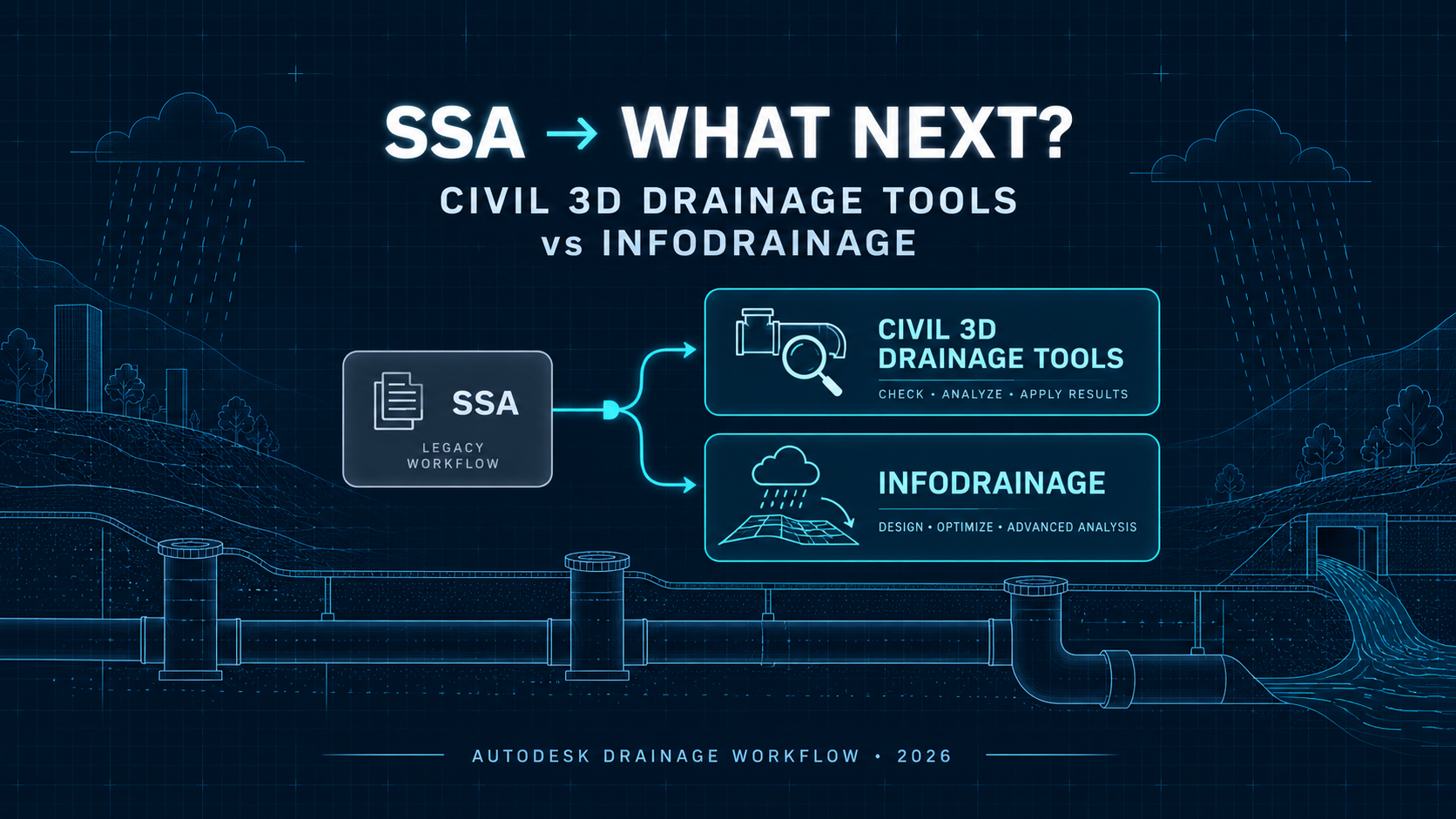
For years, Autodesk Storm and Sanitary Analysis—usually called SSA—was one of the familiar ways Civil 3D users checked stormwater and sanitary drainage networks.
That workflow is changing.
Autodesk has now stated that it is transitioning away from SSA and plans to retire the legacy application. The final retirement date has not yet been announced, but SSA is no longer the direction Autodesk is building toward for new drainage workflows.
The replacement story is not as simple as “buy InfoDrainage.”
Civil 3D now includes production-ready Drainage Tools that run analysis directly from the Civil 3D environment using InfoDrainage analysis cloud services. For more advanced drainage design, optimization, sustainable drainage, hydraulic analysis, and reporting, Autodesk still offers the separately licensed InfoDrainage application.
So the practical question for Civil 3D users in 2026 is:
Should you move from SSA to Civil 3D Drainage Tools, InfoDrainage, or a combination of both?
This guide explains the difference.
Quick Answer
Autodesk is moving away from Storm and Sanitary Analysis and plans to retire SSA, although a final retirement date has not been published.
For most current Civil 3D users, there are now two main paths:
Civil 3D Drainage Tools are the first place to look when you want to analyze and check drainage systems that already live in Civil 3D. These tools are included with Civil 3D and use InfoDrainage analysis cloud services behind the scenes for supported workflows.
InfoDrainage is a separate application and subscription for teams that need a deeper drainage-design environment, rapid option testing, automated sizing, sustainable drainage workflows, advanced hydraulic analysis, or reusable regulatory reporting.
The key point is that Autodesk is not saying every SSA user must buy InfoDrainage.
Civil 3D itself now contains a growing set of production-ready drainage design and analysis capabilities.
Is Autodesk Discontinuing SSA?
Yes—but the wording matters.
Autodesk says it is transitioning away from SSA and plans to retire the legacy application. As of October 2026, Autodesk has not announced the final retirement date.
SSA has already become less visible in the standard Civil 3D workflow. It is no longer automatically downloaded with current Civil 3D releases, and Autodesk’s current product direction centers on the newer Drainage Tools inside Civil 3D.
That does not mean every existing SSA installation or old SSA project suddenly stops working.
It means teams should stop treating SSA as Autodesk’s long-term drainage platform and start evaluating their replacement workflow now.
For long-running projects, the immediate goal should not be to migrate blindly. First identify which SSA capabilities the project actually depends on, then test those requirements against Civil 3D Drainage Tools and InfoDrainage.
What Replaces SSA in Civil 3D?
The closest direct path for many Civil 3D users is Autodesk Drainage Tools for Civil 3D.
Autodesk describes these tools as production-ready beginning with Civil 3D 2026.2. They integrate Civil 3D drainage design with analysis capabilities powered by InfoDrainage cloud services without requiring users to leave Civil 3D for supported analysis workflows.
The tools support drainage objects and workflows such as:
- pipe networks
- catchments
- ponds
- underground storage
- open channels
- rainfall and runoff setup
- multiple storm-event simulations
- HGL/EGL and performance checks
- analysis-result validation
- Excel reporting
Civil 3D 2027 and 2027.1 continue to expand these capabilities. Recent additions include improved tailwater-condition handling, known-flow inputs, rainfall/runoff/storage graphs in exported reports, additional storm-drain object behavior, and improved result handling.
That is a strong signal that Autodesk is moving core drainage analysis into Civil 3D rather than removing drainage capability from the product.
Civil 3D Drainage Tools vs InfoDrainage vs Legacy SSA
| Workflow question | Civil 3D Drainage Tools | InfoDrainage | Legacy SSA |
|---|---|---|---|
| Autodesk’s forward-looking direction | Yes | Yes | No |
| Included with Civil 3D | Yes | No, separate license | Legacy availability varies |
| Analyze drainage without leaving Civil 3D | Yes | No, separate application workflow | No |
| Pipe networks and catchments | Yes | Yes | Yes |
| Ponds / underground storage / channels | Yes, expanding | Yes | Workflow-dependent |
| Rapid design iteration and optioneering | Limited compared with InfoDrainage | Strong | Legacy workflow |
| Automated sizing / design workflows | Limited | Strong | Legacy capabilities |
| Sustainable drainage / green infrastructure | Limited | Stronger | Limited/legacy |
| Advanced hydraulic analysis | Supported for defined Civil 3D workflows | Broader | Legacy |
| Flexible regulatory reporting | Basic/export-oriented | Stronger | Legacy |
| Best fit for new projects | In-model checking and analysis | Advanced drainage design | Generally no |
This table should be treated as a workflow guide, not a claim that every feature maps one-to-one.
Autodesk specifically notes that Civil 3D is not yet at parity with SSA for every workflow. If your team depends on a specialized SSA function, test that function before changing a production standard.
When Civil 3D Drainage Tools Are Probably Enough
A useful way to think about Civil 3D’s Drainage Tools is:
You already have the civil design. Now you want to check the drainage system in the same environment.
That is where the built-in workflow becomes attractive.
If your pipe networks, catchments, grading, surfaces, and related civil objects already live in Civil 3D, the Drainage Tools let you perform supported analysis without creating a separate drainage model just to answer basic design questions.
Typical use cases include:
- checking capacity on a drainage network
- reviewing HGL/EGL results
- testing rainfall events
- analyzing catchments tied to the Civil 3D model
- evaluating ponds or underground storage
- applying analysis results back to Civil 3D objects
- exporting a straightforward analysis report to Excel
For civil teams that primarily need integrated checking, this can reduce the old export-analyze-import loop.
It can also simplify training because designers stay inside an application they already use every day.
When InfoDrainage Still Makes Sense
InfoDrainage is not simply “SSA with a new name.”
It is a dedicated drainage design and analysis application with a broader design focus.
Autodesk recommends looking at InfoDrainage when the project requires capabilities that go beyond the current in-model Civil 3D workflow.
Examples include:
- rapid optioneering
- automated or assisted preliminary sizing
- sustainable drainage and green-infrastructure workflows
- more advanced hydraulic analysis
- broader rainfall/runoff design workflows
- detailed flood and flow analysis
- reusable reporting templates
- stronger compliance-oriented deliverables
- repeated comparison of multiple design alternatives
A simple decision rule is:
Use Civil 3D Drainage Tools when the main task is checking and analyzing a Civil 3D drainage design.
Evaluate InfoDrainage when the main task is designing, optimizing, iterating, and reporting a more complex drainage system.
For some organizations, the best answer will be both.
Civil 3D can remain the primary detailed civil-design environment while InfoDrainage handles the drainage-specific work that benefits from a dedicated hydraulic design application.
Does Civil 3D Require an InfoDrainage Subscription for Drainage Analysis?
No, not for the Drainage Tools that are included with Civil 3D.
This is one of the most important points for existing SSA users.
Civil 3D’s drainage-analysis capabilities use InfoDrainage analysis cloud services, but Autodesk states that you do not need a separate InfoDrainage subscription to use the supported Drainage Tools included with Civil 3D.
The standalone InfoDrainage product is separately licensed.
Autodesk also states that InfoDrainage is not included in the AEC Collection.
Because licensing and entitlement can change by region or contract, organizations should still confirm their current Autodesk Account entitlement before making procurement decisions.
But the product direction is clear: the presence of InfoDrainage technology behind Civil 3D analysis does not automatically mean every Civil 3D user must purchase standalone InfoDrainage.
What Should Existing SSA Users Do Now?
Do not wait until a final retirement date is announced to discover that a project depends on an SSA-only workflow.
A practical migration review can start now.
First, identify how your team actually uses SSA.
Do you use it only to check pipe-network capacity? Do you rely on a specific rainfall method? Do you use storage routing, inlet analysis, sanitary analysis, custom reports, or a specialized export/import process?
Second, test the equivalent workflow in the current Civil 3D Drainage Tools.
If Civil 3D now covers the requirement, document the new process and use it on a pilot project before changing your company standard.
Third, identify the gaps.
If the project requires advanced design iteration, sustainable drainage, deeper hydraulic modeling, or reporting that Civil 3D does not currently provide, test InfoDrainage.
Finally, preserve legacy deliverables.
Old SSA models, exported data, calculation reports, rainfall assumptions, and project documentation may still be needed for audits or future revisions. Retirement of a tool does not eliminate the need to understand historical project calculations.
What About Existing SSA Files?
Existing SSA files should be treated as legacy engineering records until your organization has a validated replacement process.
Do not convert or discard them simply because Autodesk has announced the product direction.
For active projects, archive:
- original SSA project files
- input assumptions
- rainfall data
- calculation reports
- model-export files
- the Civil 3D source drawing
- software/version information
- any documented manual adjustments
Then reproduce a representative project in the replacement workflow and compare key results.
A software transition should not become an unverified engineering-method transition.
What Changed in Civil 3D 2027 and 2027.1?
The newer Civil 3D releases show how quickly Autodesk is expanding the built-in drainage workflow.
Civil 3D 2027 added and improved production workflows around ponds, underground storage, channels, catchments, connectivity, object standards, and drainage analysis.
Civil 3D 2027.1 added additional analysis and reporting capabilities, including support for known-flow inputs and more detailed tailwater-condition control.
It also added the option to include rainfall, runoff, and storage-curve graphs in exported Excel reports.
That matters for SSA users because the replacement is not static.
If you tested Civil 3D’s drainage tools in an earlier preview and decided they were too limited, it may be worth testing the current release again before assuming the same gaps still exist.
What Should BIM and CAD Managers Change?
The transition affects more than drainage engineers.
CAD and BIM managers should review internal documentation that still tells users to launch SSA as the default Civil 3D drainage workflow.
Update:
- Civil 3D standards manuals
- onboarding guides
- company templates and tool palettes
- software deployment packages
- training videos
- drainage QA/QC procedures
- project-start checklists
- approved-software matrices
However, do not delete SSA from company machines solely because a new tool exists.
For active legacy projects, version stability and reproducibility may still be more important than immediately adopting the newest workflow.
A controlled transition is safer than an automatic replacement.
FAQ
Is Storm and Sanitary Analysis already fully retired?
Autodesk has stated that it is transitioning away from SSA and plans to retire it, but a final retirement date has not been announced.
What replaces SSA in Civil 3D?
For many core drainage-analysis workflows, Autodesk Drainage Tools for Civil 3D are the forward-looking replacement path. InfoDrainage is the separate advanced drainage-design and analysis application.
Do I need InfoDrainage to analyze drainage in Civil 3D?
No. Supported Civil 3D Drainage Tools are included with Civil 3D and use InfoDrainage analysis cloud services without requiring a standalone InfoDrainage subscription.
Is InfoDrainage included with the AEC Collection?
Autodesk currently states that standalone InfoDrainage is separately licensed and is not included in the AEC Collection. Check your current regional entitlement before purchasing.
Should I move every SSA project to InfoDrainage?
No. First determine whether the project requirements are covered by Civil 3D’s current Drainage Tools. Use InfoDrainage when the workflow requires deeper design, optimization, analysis, or reporting capabilities.
Can Civil 3D and InfoDrainage work together?
Yes. Autodesk supports connected Civil 3D and InfoDrainage workflows, and recent releases continue to improve interoperability.
Which Tool Should I Use?
This decision matrix starts with the work you need to complete. It is an editorial selection aid, not a feature-parity claim or a substitute for checking current entitlement and testing required outputs.
| Your immediate requirement | Starting path | Check before committing |
|---|---|---|
| Network already designed in Civil 3D; need capacity or HGL/EGL checking | Start with supported Civil 3D Drainage Tools | Confirm the object types, analysis assumptions, cloud-service access, and required reporting are supported |
| Rapid sizing, alternative layouts, or more advanced drainage design | Evaluate standalone InfoDrainage | Check required methods, reporting, interoperability, and the separately licensed product entitlement |
| Historical project depends on an SSA calculation or deliverable | Preserve SSA records; validate a replacement before migrating | Identify the exact legacy method and compare critical outputs on a representative copied network |
| Civil 3D for detailed design, with specialist analysis or option studies | Evaluate a combined Civil 3D / InfoDrainage workflow | Define the authoritative model and prove the transfer/return workflow without losing assumptions |
SSA Migration Checklist
Use a copied or synthetic network for the first validation. Keep a record with columns for check, evidence, expected output, observed output, acceptance basis, reviewer decision. Mark unexecuted checks as NOT TESTED.
- Archive the original SSA project, exported inputs, reports, and linked Civil 3D drawing; retain a recoverable copy.
- Record rainfall/runoff assumptions, units, storm events, boundary/tailwater conditions, and any manual adjustments.
- Record the SSA build and the replacement product/build, analysis service, and relevant entitlement.
- Select a representative copied network or a synthetic case that exercises the methods and objects you actually require.
- Reproduce the input assumptions in the replacement; distinguish equivalent inputs from approximations or unsupported methods.
- Compare critical outputs such as flows, HGL/EGL, flooding, storage behavior, and report deliverables where applicable. Record differences rather than a single pass/fail label.
- Have the responsible engineer define and document acceptable differences for the method and intended use. This checklist supplies no universal numerical engineering tolerance.
- Resolve material discrepancies and approve a new standard only after review of the validation evidence; preserve access to legacy records.
Final Takeaway
SSA is on the way out, but drainage analysis is not disappearing from Civil 3D.
Autodesk is moving core drainage checking and analysis into Civil 3D while continuing to develop InfoDrainage as the more specialized drainage-design environment.
For most teams, the migration question should not be:
“What is the new SSA?”
It should be:
“Which parts of our current SSA workflow belong in Civil 3D, and which parts require InfoDrainage?”
Answer that question workflow by workflow, test the current Civil 3D tools before changing standards, preserve legacy calculation records, and move only the functions that have a validated replacement.
That approach is more reliable than treating a product retirement as a one-click software swap.
For Autodesk’s wider connected-workflow direction, see our guide to the Civil 3D Forma Connected Client. If your Civil 3D workflow also shares site context with Revit, our Civil 3D-to-Revit coordinate troubleshooting guide covers that separate coordination task.
Official Sources
- Autodesk AEC Tech Drop — What’s Happening with SSA? The Future of Drainage Design in Civil 3D and InfoDrainage — Sep 10, 2026
- Autodesk Water Blog — InfoDrainage vs Civil 3D drainage tools: What’s different – and when to use each one — Mar 11, 2026
- Autodesk Civil 3D 2027 Help — Autodesk Drainage Tools for Civil 3D
- Autodesk Support — How to use drainage analysis tools outside Civil 3D — Sep 14, 2026
- Autodesk Support — Cannot find Storm and Sanitary Analysis for Civil 3D — Sep 9, 2026
- Autodesk InfoDrainage official product page
- Autodesk Water Blog — InfoDrainage 2027 improves Civil 3D interoperability and multi-model drainage workflows — Apr 7, 2026