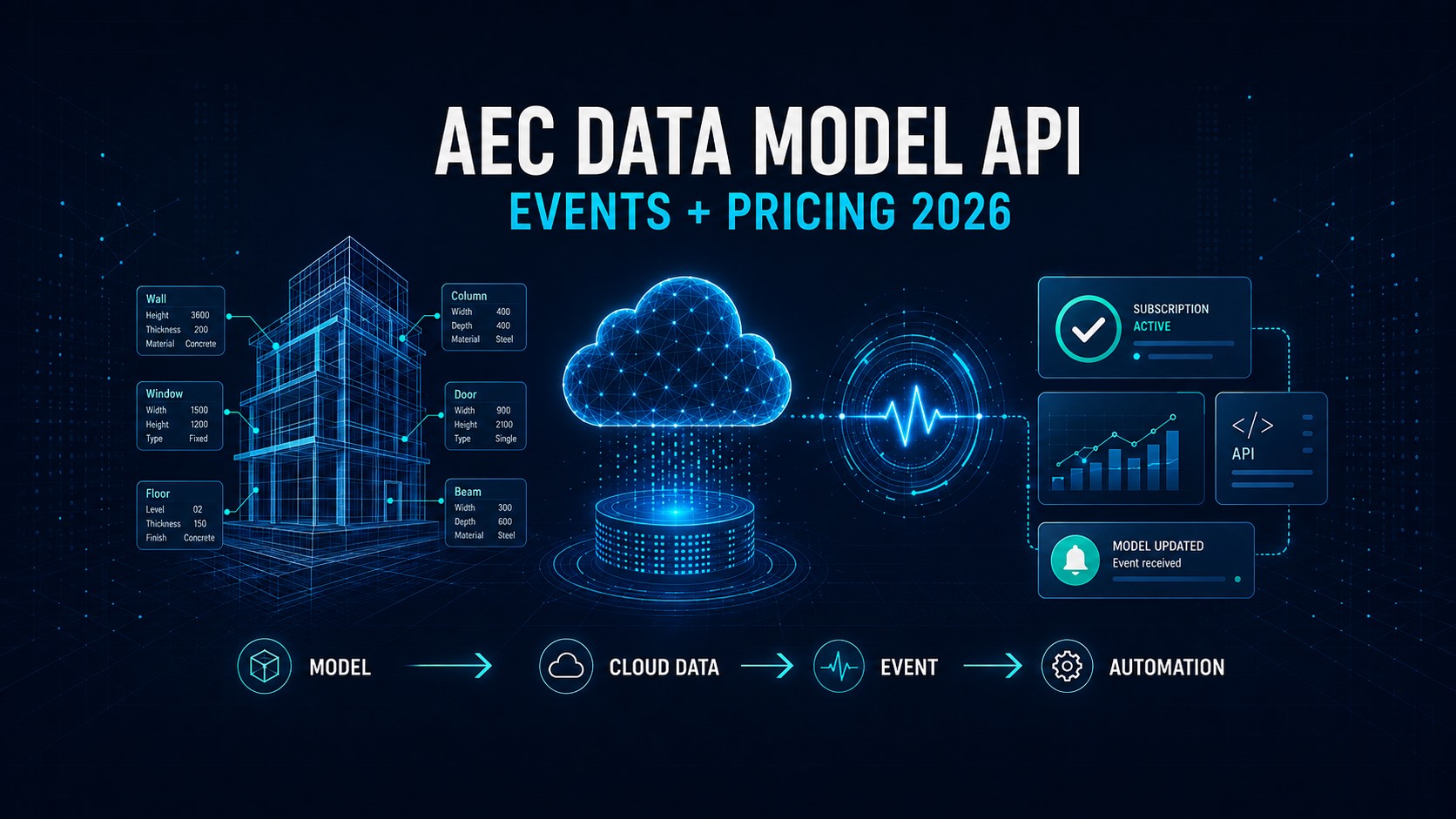
Autodesk’s AEC Data Model API is moving into a more important phase for BIM automation.
In early September 2026, Autodesk announced two changes that matter to teams building cloud-based model checks, dashboards, data synchronization, and downstream automation.
First, the AEC Data Model API gained a new Subscription capability in Public Beta, allowing applications to receive an event when newly published model data has finished extracting. That means developers no longer need to rely only on repeated polling to discover whether fresh BIM data is ready.
Second, Autodesk confirmed that AEC Data Model API pricing took effect on October 6, 2026 and is now live. A limited APS Free tier will remain available, and qualifying Autodesk product subscriptions will include monthly API usage.
These changes are related. Autodesk is turning granular BIM data into a more production-oriented platform for automation, but teams now need to think about architecture, reliability, usage, and cost together.
Quick Answer
The biggest change is not that Autodesk now streams every Revit edit in real time.
It does not.
The new subscription workflow sends an event after a newly published model version has been successfully extracted into the AEC Data Model. Your application can then query the latest elements, parameters, properties, and relationships through the GraphQL API and start whatever downstream process you have designed.
A simple pattern now looks like this:
Model publish → AEC Data Model extraction → subscription event → API query → automated workflow
For BIM teams, that can mean faster QA checks, fresher dashboards, less wasteful polling, and more responsive integrations.
What Is the Autodesk AEC Data Model API?
Traditional BIM automation often starts with a file.
A script opens or exports an RVT, DWG, IFC, or another project deliverable, processes it, and then pushes the results somewhere else.
The AEC Data Model takes a different approach.
Autodesk exposes structured, granular project data in the cloud through Autodesk Platform Services. Instead of downloading an entire model just to answer a narrow question, an application can query the specific model data it needs.
Autodesk describes use cases including:
- model and project data queries
- automated quality checks
- dashboards and reporting
- version comparison
- cross-project analysis
- downstream integrations
This matters because BIM files are monolithic while many business questions are not.
A dashboard may only need door parameters. A QA routine may only need to find elements with missing values. A reporting service may only need quantities or a subset of properties.
The AEC Data Model API is designed to make that kind of targeted access possible without building every workflow around full-file exports or desktop authoring plug-ins.
What Changed in September 2026?
1. Event-Driven Subscriptions Entered Public Beta
On September 2, Autodesk announced AEC Data Model Subscriptions in Public Beta.
Previously, an application that needed fresh model data generally had to check repeatedly to see whether a new published version had been extracted.
That approach works, but polling has drawbacks.
It can create unnecessary API calls, adds delay between checks, and makes long-running automation harder to coordinate efficiently.
With subscriptions, an application establishes a GraphQL subscription for extraction-status events. When a newly published model version finishes extracting successfully, the application receives an event and can query the latest AEC data.
That makes event-driven BIM automation much more practical.
2. AEC Data Model API Pricing Took Effect October 6
On September 3, Autodesk updated its Data Model API pricing plan.
The key date for AEC teams is October 6, 2026.
Autodesk says:
- limited experimentation remains available through the APS Free tier
- qualifying Autodesk product subscriptions include monthly API usage
- included usage is pooled at the Autodesk team level
- APS apps need to be in the same team as the qualifying subscriptions to use that pooled allowance
- usage beyond the included amount requires an appropriate paid APS offering
The practical takeaway is simple: if your organization already uses the AEC Data Model API in production, review where your APS apps live, how much data they consume, and whether the correct product subscriptions are assigned to the same Autodesk team.
Why Event-Driven BIM Automation Matters
The most interesting part of this update is not the GraphQL syntax.
It is the workflow change.
Consider a model-health dashboard.
A polling-based system may check every few minutes whether a new version exists. Most checks return nothing new. When a new version finally appears, the system performs its analysis.
With the subscription workflow, the application can wait for the extraction-complete event and react when the data is actually ready.
That can support workflows such as:
- automatically refreshing a BIM dashboard
- running parameter-completeness checks
- triggering model QA rules
- synchronizing selected properties with another system
- starting quantity or reporting jobs
- comparing a newly published version with the previous version
- notifying a review service that fresh model data is available
This shifts BIM automation closer to the event-driven architecture already common in modern cloud systems.
Important Limitation: This Is Not a Complete Production Event System Yet
The word “real-time” needs one important qualification.
The capability is still in Public Beta, and Autodesk currently sends a subscription event when AEC Data Model extraction succeeds.
According to Autodesk, a failed extraction does not currently produce a corresponding failure event through the subscription.
That means a production-grade application should not assume that silence means “still processing.”
A robust implementation may still need fallback logic such as:
- a timeout
- an independent extraction-status check
- retry handling
- logging and alerting
- idempotent downstream jobs
In other words, subscriptions can reduce polling, but they do not eliminate the need for defensive engineering.
Does This Replace Revit API or Dynamo?
No.
The AEC Data Model API, Revit API, and Dynamo solve different types of problems.
Use the Revit API when you need deep, authoring-side control inside Revit.
Use Dynamo when visual scripting is the practical way to automate model-authoring or data tasks for Revit users.
Use the AEC Data Model API when you want cloud-based access to granular model data for web apps, dashboards, model checks, analytics, integrations, or cross-project workflows without making a desktop Revit session the center of the process.
In many organizations, the future architecture will probably use more than one of these tools rather than replacing one with another.
What About AI?
This is where the update becomes more strategically important.
AI systems are only as useful as the data they can access reliably.
Ahead of Autodesk University 2026, Autodesk emphasized connected and trusted AEC data as a foundation for AI and automation. Its current AEC data roadmap discussions include the AEC Data Model, Autodesk Datum, Content Catalog, and Model Analytics.
For AI-assisted BIM workflows, granular cloud data can be more useful than forcing every agent or service to interpret full design files from scratch.
A future AI workflow might not need to “open Revit” to answer a project-data question.
It may instead query governed model data, analyze the relevant elements and properties, and pass the result to another service.
That does not make the AEC Data Model an AI product by itself.
It makes it part of the data infrastructure that can make AI workflows more useful and controllable.
What BIM Teams Should Check Under the New Pricing Model
If your team already uses—or plans to use—the AEC Data Model API, here is a practical operational checklist.
1. Identify Existing APS Apps
List the applications that currently query AEC Data Model data.
Separate prototypes from production workflows.
2. Review Current Usage
Autodesk provides Data In and Data Out usage reporting through Autodesk Account and the APS developer hub.
Use current consumption to estimate whether your workloads are likely to remain inside included allowances.
3. Check Autodesk Team Alignment
Confirm that the APS developer hub and apps are in the same Autodesk team as qualifying product subscriptions.
This matters because included capacity is pooled at the team level.
4. Remove Wasteful Queries
If a workflow retrieves much more data than it actually uses, now is the time to reduce it.
Granular queries are one of the main advantages of the AEC Data Model API.
5. Evaluate Subscriptions for Change-Driven Workflows
Do not convert every integration automatically.
Subscriptions are most valuable when a workflow needs to react soon after new model data becomes available.
6. Add Failure and Timeout Handling
Because the Public Beta currently emits successful extraction events but not failed-extraction events, production designs should include a fallback path.
7. Recalculate the Business Case
API costs should be compared with the labor and infrastructure they replace.
A workflow that eliminates repetitive exports, manual QA, spreadsheet consolidation, or scheduled polling may still have a strong return even when some API consumption becomes paid.
A Practical Architecture
A modern AEC Data Model workflow could look like this:
- A project team publishes a new Revit model version.
- Autodesk extracts the model into the AEC Data Model.
- The subscription service reports that extraction completed.
- A cloud service receives the event.
- The service queries only the required elements and properties.
- Automated QA or analytics runs.
- Results are written to a dashboard, database, issue system, or notification workflow.
The major difference is that the automation begins because new data is available—not because a timer happens to run.
That is a small architectural change with potentially large operational benefits.
Is the AEC Data Model API Ready for Every BIM Workflow?
Not yet.
The platform is evolving quickly, and some capabilities remain in beta. Desktop authoring APIs are still better for many geometry-editing and in-model automation tasks.
But the direction is increasingly clear.
Autodesk is investing in a cloud layer where AEC data can be accessed at a granular level, extended, monitored, and used across applications.
The September 2026 subscription release and the pricing change are signs that the AEC Data Model API is moving from an interesting developer capability toward infrastructure that teams may need to manage deliberately.
Final Takeaway
For BIM automation teams, two dates matter:
September 2, 2026: event-driven AEC Data Model subscriptions entered Public Beta.
October 6, 2026: AEC Data Model API pricing took effect and is now live.
The opportunity is not simply to replace one API call with another.
It is to rethink how BIM automation starts.
Instead of repeatedly checking files and model versions, applications can increasingly react to structured project data when it becomes available.
That can make BIM dashboards, QA systems, integrations, and AI-assisted workflows faster and more scalable—but only if teams also design for reliability, permissions, usage, and cost.
Official / Trusted Sources
- Autodesk Platform Services — Build Event-Driven Workflows with AEC Data Model Subscriptions (Sep 2, 2026)
- Autodesk Platform Services — Data Model APIs included with subscriptions, plus flexible ways to scale (Sep 3, 2026)
- Autodesk Platform Services — AEC Data Model API Overview
- Autodesk Digital Builder — From Files to Data: Unlocking Data-Driven AEC Workflows with the AEC Data Model API
- Autodesk AEC Tech Drop — See What Connected AEC Data Can Do for Your Work at AU
- Autodesk Platform Services — AEC Data Model API: Updated Usage Reporting
- Autodesk official GitHub sample — AEC Data Model Subscription Demo