Tag: Autodesk Assistant

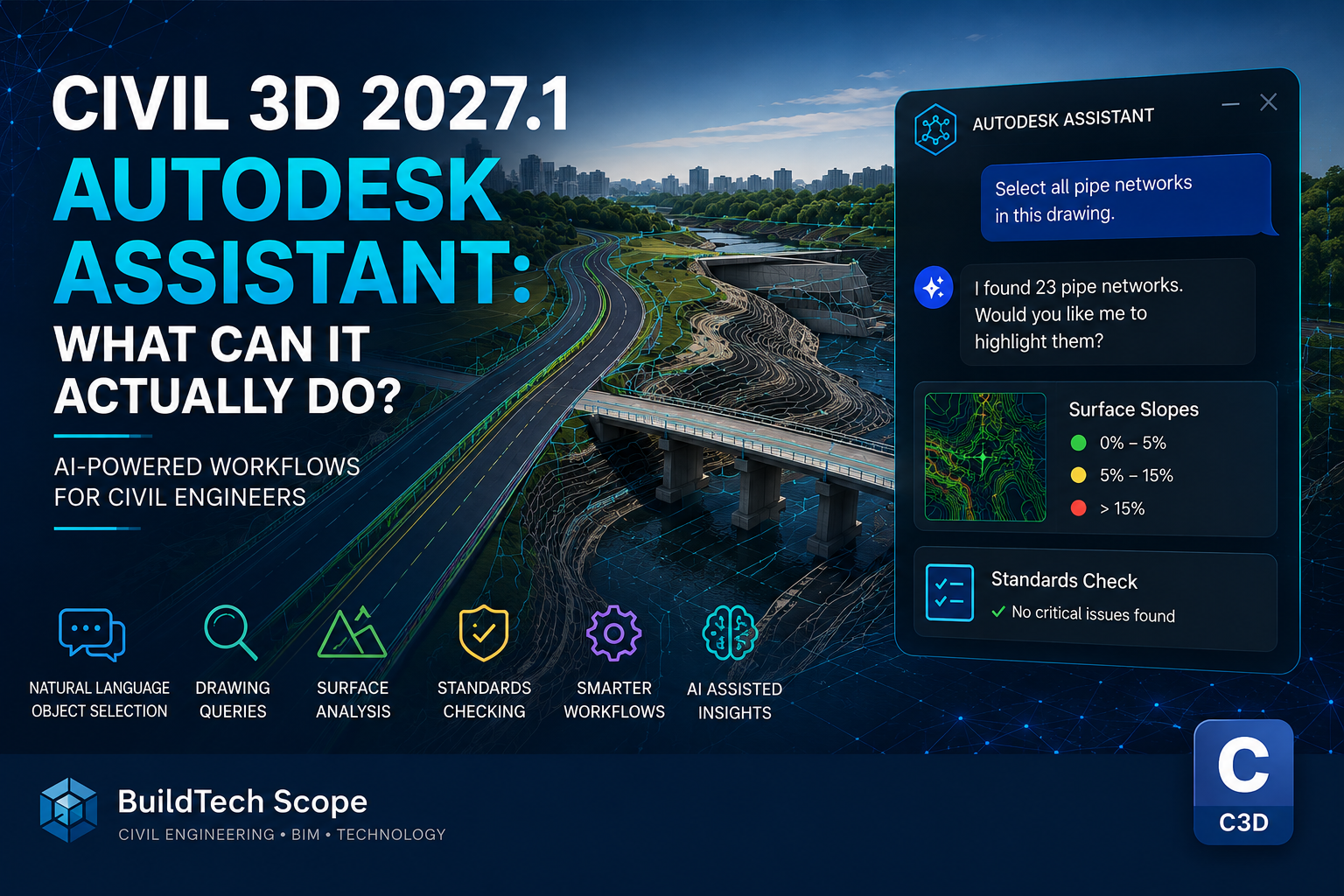
  • Civil 3D 2027.1 Autodesk Assistant: What Can It Actually Do?

    Civil 3D 2027.1 Autodesk Assistant: What Can It Actually Do?

    Artificial intelligence is becoming a larger part of Autodesk’s AEC software ecosystem, and Civil 3D 2027 brings that trend directly into infrastructure design workflows.

    Quick answer: Civil 3D 2027.1 Autodesk Assistant can select and count drawing objects using natural language, query drawing information, analyze selected objects, check standards, modify object styles, and analyze surface slopes. It is still a Tech Preview, so results should be verified before being used for production engineering decisions.

    One of the most notable additions is the expanded Autodesk Assistant, which can interact with drawing data using natural-language prompts instead of relying only on traditional commands and manual selections.

    But what can it actually do inside Civil 3D today, and how useful is it for real civil engineering work?

    What Is Autodesk Assistant in Civil 3D 2027?

    Autodesk Assistant is an AI-powered interface integrated into Civil 3D.

    In previous workflows, users typically needed to know the correct command, locate objects manually, inspect properties, or perform separate analysis steps.

    Civil 3D 2027 expands the Assistant with prompt-driven workflows that can use information from the current drawing.

    According to Autodesk, the new capabilities are currently provided as a Tech Preview, which means they are still under development and results may not always be accurate.

    1. Select Objects Using Natural Language

    One of the most interesting features is natural-language object selection.

    Instead of manually filtering objects or navigating through drawing layers, users can describe what they want to find.

    For example, workflows could involve requests based on object type or other drawing information.

    This could be especially useful in large infrastructure drawings where manually locating specific objects can become time-consuming.

    Autodesk lists natural-language object selection as one of the core Assistant enhancements in Civil 3D 2027.

    2. Query Information From the Drawing

    Autodesk Assistant can also query information stored in the current drawing.

    Examples provided by Autodesk include:

    • Layer information
    • Block usage
    • Drawing object information
    • Aggregating and summarizing properties

    This could reduce the amount of time spent manually inspecting drawing properties when trying to understand an unfamiliar or complex DWG file.

    3. Check Drawing Standards

    Civil 3D 2027 also introduces the ability to use Autodesk Assistant to check the current drawing against a standards file.

    For organizations managing many infrastructure drawings, drawing standards can include layer conventions, styles, and other CAD requirements.

    A prompt-driven standards check could potentially make QA/QC workflows faster, particularly when reviewing drawings created by multiple team members.

    However, because the feature is still a Tech Preview, important project deliverables should still be verified through established QA procedures.

    4. Analyze Surface Slopes

    For civil engineers, this may be one of the more interesting capabilities.

    Autodesk Assistant can analyze Civil 3D surface slope ranges and apply styles based on the analysis.

    Surface analysis is common in:

    • Grading design
    • Earthwork review
    • Road projects
    • Site development
    • Cut-and-fill evaluation
    • Preliminary terrain assessment

    Traditionally, users configure surface analysis ranges and styles through Civil 3D’s existing tools.

    The Assistant introduces a more conversational way to initiate parts of that workflow.

    5. Query and Modify Civil 3D Object Styles

    Another new capability is the ability to query and modify the visual styles of Civil 3D objects.

    This may eventually be useful when reviewing drawings with many different object styles or when users need to quickly change how particular infrastructure objects are displayed.

    It is worth noting that this is not the same as allowing AI to independently redesign an engineering model.

    The current capability is better understood as an AI-assisted interface for interacting with existing Civil 3D data and commands.

    6. Prompt Library and Chat History

    Civil 3D 2027 also adds a Prompt Library and Chat History.

    For repeatable workflows, this could become surprisingly useful.

    Instead of recreating the same prompt every time, teams may be able to reuse prompts for tasks such as:

    • Drawing review
    • Object selection
    • Surface analysis
    • Standards checks
    • Drawing data summaries

    Autodesk says the refreshed Assistant interface is intended to make prompts and previous responses easier to review and reuse.

    What’s New in Autodesk Assistant in Civil 3D 2027.1?

    Civil 3D 2027.1 makes Autodesk Assistant more reliable and more aware of the context inside a drawing. According to Autodesk, the update adds smarter object counting, selection-aware analysis, context-aware unit reporting, and personalized recommendations.

    For object counting, Assistant can now respond more reliably to natural-language questions about how many objects are in a drawing. It also recognizes and counts a wider range of object types.

    Assistant can also use the objects currently selected in the drawing as context for queries, analysis, and counting. This allows it to return results that are more focused on the user’s current selection.

    Assistant-generated reports now display explicit units that align with the source drawing, settings, and product conventions. When Tech Preview is enabled, Assistant can also provide personalized learning content and update its recommended prompts based on the user’s Civil 3D actions.

    Can it do this today?

    Civil 3D 2027.1 Autodesk Assistant capabilities for civil engineers
    TaskCivil 3D 2027 Assistant
    Find/select drawing objectsYes
    Query drawing propertiesYes
    Count objectsYes, improved in 2027.1
    Analyze selected objectsYes, improved in 2027.1
    Analyze surface slopesYes
    Check drawing standardsYes
    Fully design a corridor for youNo
    Replace engineering QA/QCNo

    Is Autodesk Assistant Replacing Traditional Civil 3D Workflows?

    Not yet.

    Civil 3D remains a highly specialized engineering application, and many design tasks require precise engineering judgment, project standards, design criteria, targets, alignments, profiles, corridors, surfaces, and other structured data.

    The current Assistant is better viewed as a new interaction layer on top of Civil 3D.

    Its strongest near-term value may be in tasks such as:

    • Finding information
    • Selecting objects
    • Reviewing drawing contents
    • Running preliminary analysis
    • Checking standards
    • Reducing repetitive navigation

    This could make Civil 3D easier to explore, especially in large drawings.

    Important Limitation: It Is Still a Tech Preview

    This is the most important point.

    Autodesk explicitly states that the new Assistant capabilities are currently a Tech Preview and that results may not always be accurate.

    Tech Preview features are intended for testing and feedback before becoming mature production features. Availability may also vary by region.

    For production engineering work, AI-generated results should therefore be verified before being used for design decisions or deliverables.

    What This Could Mean for Civil Engineers

    The most significant change may not be any single feature.

    It is the direction of the software.

    Civil 3D has traditionally required users to learn commands, object structures, properties, styles, and complex workflows.

    Natural-language interaction introduces another way to access that information.

    If Autodesk continues expanding these capabilities, future Civil 3D workflows could increasingly combine:

    Engineering data + traditional Civil 3D tools + automation + natural-language AI interaction

    For now, Autodesk Assistant is best treated as an experimental productivity tool rather than an autonomous engineering system.

    But Civil 3D 2027 makes it clear that AI is becoming part of Autodesk’s infrastructure design workflow.

    Official Sources